
- Retail Insurance
- Business Insurance
- Resources
- Claims
Wondering how you can change details in your Aadhar card, making updates or corrections? Then you have come to the right place! This article will cover all the steps required, documents required and all necessary details you need to know, for updating or making corrections in your Aadhaar Card.
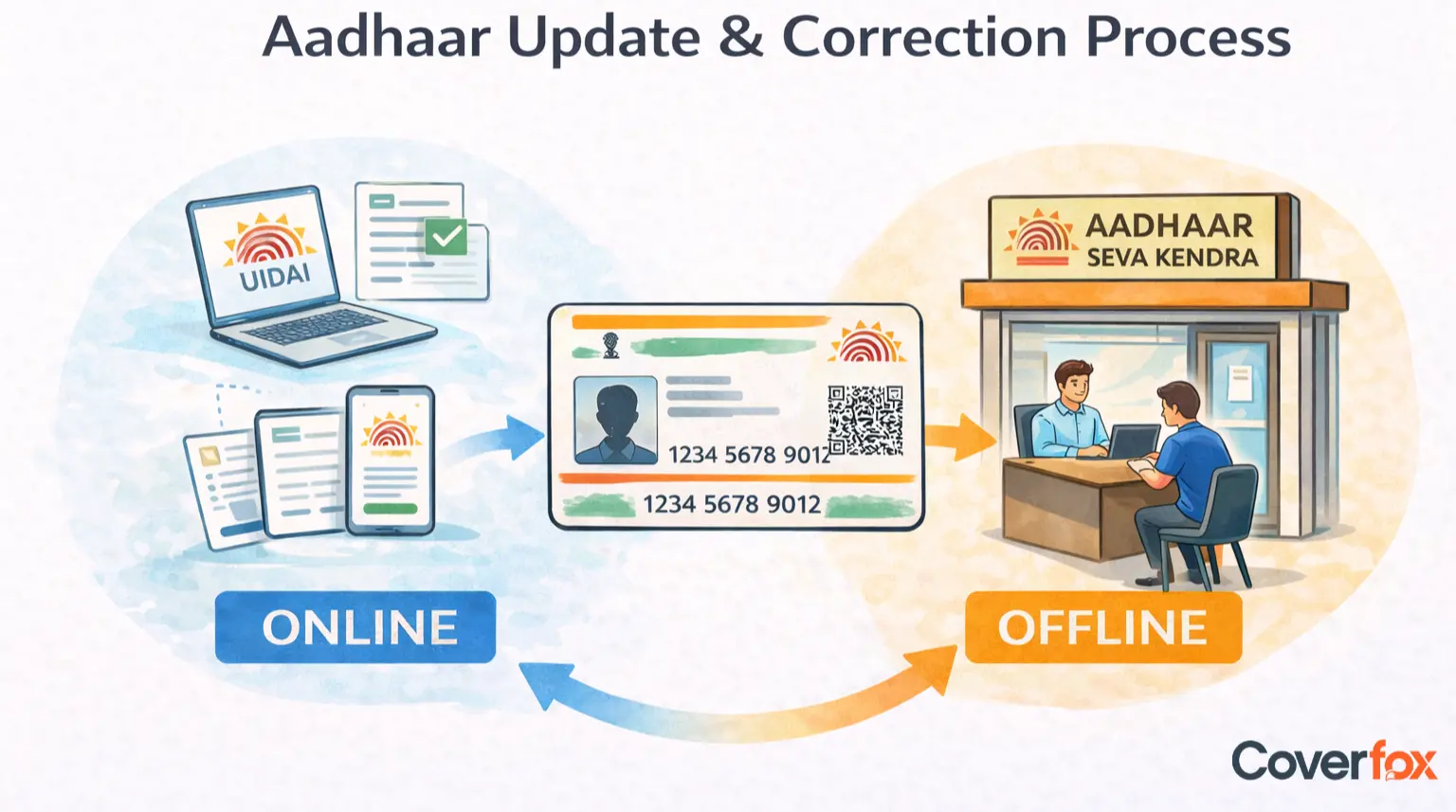
An Aadhaar card update or correction is the official process of modifying or rectifying incorrect, outdated, or incomplete personal details recorded in the Aadhaar database maintained by UIDAI.
Aadhaar Update refers to changes due to life events or genuine changes over time. Examples include a change of address after relocation, updating a new mobile number, or updating a name after marriage.
Aadhaar Correction refers to fixing errors made during enrolment or previous updates. This includes spelling mistakes in your name, incorrect date of birth, wrong gender, or errors in address details.
In short, an update is about change, while a correction is about error rectification.
Keeping your Aadhaar details accurate and up to date is essential because Aadhaar is widely used as a primary identity and KYC document across India.
Mismatched Aadhaar details can lead to rejection or delay in KYC for banks, insurance, mutual funds, and telecom services.
Incorrect Aadhaar data may block account opening, transaction limits, or linking with bank accounts and PAN.
Errors can prevent you from receiving benefits under schemes such as LPG subsidy, pensions, scholarships, and DBT (Direct Benefit Transfer).
Even small mismatches in name or date of birth can cause PAN–Aadhaar linking failures and possible tax-related complications.
An outdated or incorrect mobile number can stop you from receiving OTPs needed for authentication, updates, or online services.
Many online services rely on Aadhaar-based authentication; incorrect data can restrict access or cause repeated verification failures.
Aadhaar updates and corrections are broadly classified into demographic details and biometric details. Depending on the type of information you want to change, the update can be done either online or by visiting an Aadhaar enrolment centre.
Demographic details relate to your personal and contact information. Most of these updates require valid supporting documents for verification, as prescribed by Unique Identification Authority of India (UIDAI).
Can be updated or corrected in case of spelling errors, name change after marriage, or legal name change. Supporting identity documents are required.
Corrections are allowed if the recorded date of birth is incorrect. Proof such as a birth certificate, school certificate, or PAN card may be needed.
Can be updated if incorrectly recorded during enrolment or if officially changed, subject to UIDAI guidelines.
You can update your address due to relocation or correction of existing address details. Address proof documents are generally mandatory.
Can be updated or changed to ensure you receive OTPs and alerts. No document is usually required, but biometric authentication is mandatory.
Optional but useful for notifications. It can be added or updated without submitting documents.
Note: Limits may apply to how many times certain demographic details can be updated
Biometric details are linked to your physical identity and cannot be updated online.
Updates may be required due to ageing, wear and tear, or changes caused by occupation.
Can be updated if earlier scans were unclear or due to medical or age-related changes.
Can be updated to reflect changes in appearance over time.
Important: All biometric updates must be done in person at an Aadhaar Seva Kendra or authorised enrolment centre, as they require live biometric capture and verification.
The online Aadhaar update facility allows residents to update or correct demographic details such as Address (online), and Name, Date of Birth, and Gender (through document upload, where permitted) via the official UIDAI portal, without visiting an enrolment centre. Steps to Update or Correct Aadhaar Details Online:
Go to: https://uidai.gov.in/en/my-aadhaar/update-aadhaar.html (Managed by Unique Identification Authority of India)
Enter your 12-digit Aadhaar number and verify using the OTP sent to your registered mobile number.
Choose the relevant demographic field such as Address, Name, Date of Birth, or Gender (as per eligibility).
Carefully fill in the correct details exactly as per your supporting documents.
Upload clear, valid documents in the prescribed format for verification (mandatory for most updates).
Check all entered details thoroughly before final submission.
Pay the nominal update fee online (Currently ₹75) using net banking, UPI, debit, or credit card.
Use the URN to track your Aadhaar update status at: https://myaadhaar.uidai.gov.in/CheckAadhaarStatus/en
Biometric details cannot be updated online and require a visit to an Aadhaar Seva Kendra.
Updates are processed only after document verification by UIDAI.
Ensure your mobile number is active to receive OTPs and status updates.
The offline Aadhaar update process allows residents to update or correct all demographic details and biometric information by visiting an authorised Aadhaar Seva Kendra or enrolment centre in person. Steps to Update or Correct Aadhaar Details Offline.
Locate a centre authorised by the Unique Identification Authority of India (UIDAI).
Obtain and complete the Aadhaar Correction/Update Form, clearly mentioning the details that need to be updated or corrected.
Provide original documents for verification along with self-attested photocopies, depending on the type of update: Identity proof for name changes, Date of birth proof for DOB correction, and Address proof for address update.
Fingerprints, iris scan, and photograph will be captured if biometric update is requested and Biometric authentication is mandatory for most demographic updates as well.
Pay the prescribed Aadhaar update fee at the centre and collect the acknowledgement slip.
The acknowledgement slip contains the URN, which can be used to track the update status online.
Mobile number update also requires an in-person visit
Updates may take a few days to a few weeks, depending on verification
Carry original documents for smooth processing
When you apply to update or correct your Aadhaar details (either online or offline), the Unique Identification Authority of India (UIDAI) requires valid supporting documents depending on the type of information being updated. These documents help verify your identity, address, date of birth or relationship and ensure accuracy in the Aadhaar database.
Documents that contain your name and photograph, such as: Passport, Voter ID card, Driving licence, PAN card, Government-issued photo ID cards. These documents help verify your identity during updates or corrections.
Documents showing your name and current address, such as: Passport, Ration card, Bank passbook with address, Utility bills (electricity, water, gas), Government-issued certificates. These documents are needed for address updates or corrections.
Documents that include your date of birth, such as: Birth certificate, School leaving certificate, Passport. These are required when correcting or updating your date of birth.
Documents that establish family relationships when required, such as: Birth certificate listing parents and Family documents issued by government authorities. These are needed when updating details related to family relationships.
The Complete UIDAI List of Acceptable Documents for Aadhaar enrolment and update is available from UIDAI, and it specifies what documents are acceptable under each category.
UIDAI charges a nominal fee for Aadhaar update and correction services, which varies based on the type of update requested and whether it’s biometric or demographic.
Updates to demographic details such as name, address, date of birth, mobile number or email typically incur a fee (approximately ₹75 per request under the latest structure).
Updates to biometric details like fingerprints, iris scan, or photograph require a visit to an Aadhaar Seva Kendra and generally cost more (around ₹125 per update).
Biometric updates for specific age groups (such as children aged 5–7 or 15–17 years) may be exempt from charges or free under certain conditions.
Source for fees and charges: These updated Aadhaar service charges are outlined in the UIDAI service charge notice and reflected in official changes effective from October 2025 through at least 2026.
The Unique Identification Authority of India (UIDAI) has set specific limits on how many times certain Aadhaar details can be updated during a person’s lifetime. These limits are designed to maintain the integrity and security of the Aadhaar database while still allowing necessary corrections and updates.
Can be updated twice in your lifetime.
Can be updated once in your lifetime.
Can be updated once in your lifetime.
Source - Aadhar FAQs
Aadhaar update or correction requests are usually processed within 7 to 30 days from the date of submission, depending on the type of update and document verification by Unique Identification Authority of India (UIDAI). In some cases, especially where additional verification is required, it may take up to 90 days. Applicants can track the status online using the Update Request Number (URN).
Once your Aadhaar update or correction has been approved, you can download your updated Aadhaar (e-Aadhaar) online yourself:
Go to the official e-Aadhaar download portal: https://myaadhaar.uidai.gov.in/genricDownloadAadhaar
Enter your Aadhaar number, enrolment ID, or virtual ID (VID).
Select the ‘Get One Time Password (OTP)’ option and enter the OTP sent to your registered mobile number.
Enter the OTP and submit. This will authenticate you securely.
Download the updated e-Aadhaar PDF. You can open it by entering your Aadhaar PIN (4-digit) or full ZIP code.
Save or print your updated Aadhaar for future use.
Note: You must have your registered mobile number active to receive the OTP. The e-Aadhaar you download is legally valid and can be used wherever Aadhaar is accepted.
Aadhaar update or correction requests are usually rejected when the information or documents submitted do not meet the verification guidelines set by Unique Identification Authority of India (UIDAI).
Details entered do not exactly match the information mentioned in the supporting documents
Uploaded documents are unclear, blurred, expired, or not self-attested (where required)
Invalid or non-acceptable documents submitted as per UIDAI’s approved list
Exceeding the maximum allowed number of updates for name, date of birth, or gender
Incorrect format or language used while entering name or address details
Mismatch between Aadhaar data and linked records (such as previous Aadhaar details)
Technical errors or incomplete submission during the update process
While updating or correcting Aadhaar details, following the official guidelines helps avoid delays or rejection by Unique Identification Authority of India (UIDAI).
Ensure the details entered exactly match the supporting documents you upload or submit
Use only valid and UIDAI-approved documents for Proof of Identity, Address, Date of Birth, or Relationship
Upload clear, readable, and complete documents to avoid verification issues
Check the lifetime update limits for name, date of birth, and gender before applying
Keep your registered mobile number active to receive OTPs and update notifications
Review all details carefully before final submission, as incorrect entries may lead to rejection
Save the Update Request Number (URN) to track your application status
Remember that biometric updates can only be done offline at Aadhaar Seva Kendras
Download and verify your updated e-Aadhaar once the request is approved
Aadhaar updates in certain situations follow specific guidelines issued by Unique Identification Authority of India (UIDAI). Below are the most common special cases explained briefly:
Children enrolled below the age of 5 must mandatorily update biometrics at age 5 and again at age 15. These updates include fingerprints, iris scan, and photograph, and must be done offline at an Aadhaar Seva Kendra. Demographic details like name or address can also be corrected if required.
After marriage, individuals can update name, surname, and address in Aadhaar. This is treated as a demographic update and requires valid supporting documents such as a marriage certificate, passport, or other government-issued proof showing the updated details.
NRIs holding a valid Indian passport are eligible to enrol for Aadhaar or update existing Aadhaar details. Updates follow the same demographic and biometric process as resident Indians, and biometric updates must be done in person at authorised enrolment centres in India.
If you relocate to a new city or state, you can update your current address in Aadhaar. Address updates can be done online using valid address proof or offline at an enrolment centre, and there is no limit on the number of times the address can be updated.
More Information on Aadhaar Card:
Addresses can be updated online in some cases using the Address Validation method, but most demographic updates require supporting documents as per Unique Identification Authority of India (UIDAI).
Yes, a registered mobile number is mandatory for online updates because OTP-based authentication is required.
Online updates cannot be done without OTP. However, you can update Aadhaar offline at an Aadhaar Seva Kendra using biometric authentication.
Aadhaar update or correction usually takes 7 to 30 days, and in some cases, up to 90 days, depending on verification.
You can reapply by correcting the errors, uploading valid and clear documents, and ensuring the details exactly match the proofs submitted.
NRIs can initiate certain updates online if OTP access is available, but biometric updates must be done in India at authorised centres.
No. Standard update charges apply to all age groups, including senior citizens, unless UIDAI announces a specific exemption.
Yes, for details like address, mobile number, and email ID, which have no annual limit. However, name, date of birth, and gender have lifetime limits.
Yes. Updated Aadhaar details may need to be re-synced or re-verified with PAN, banks, and telecom providers to avoid mismatches.
UIDAI recommends document update every 10 years to keep records current, but it is not mandatory unless specifically notified.

