
- Retail Insurance
- Business Insurance
- Resources
- Claims
The Aadhaar card has become one of the most essential identification documents in India, deeply integrated into everyday life and public services. Since its introduction in 2009 by the Unique Identification Authority (UIA) of India (UIDAI), the scheme has grown rapidly and today serves as a unique identity proof for over 1.4 billion residents of the country.
As per UIDAI data, 1,430,477,374 Aadhaar numbers have been generated through enrolment, and 1,565,454,999 Aadhaar updates have been carried out, reflecting the scale and continuous usage of the Aadhaar ecosystem.
An Aadhaar card is a 12-digit unique identity number issued to residents of India based on their biometric (fingerprints, iris scan) and demographic (name, date of birth, address, etc.) information.
Managed by the Unique Identification Authority of India (UIDAI), Aadhaar serves as a universal identity proof that simplifies authentication and verification across a wide range of services. It is not a proof of citizenship, but a proof of identity and residence, helping individuals avail government benefits, open bank accounts, obtain SIM cards, and link essential documents like PAN and tax filings.
The UIDAI Official Aadhaar Portal (myAadhaar) is the authorised digital platform of the Unique Identification Authority of India, enabling residents to manage Aadhaar services such as enrolment and updates, downloading e-Aadhaar, booking appointments, checking status, biometric locking, and ordering PVC Aadhaar cards.
Email: help@uidai.gov.in
Head Office Address: Unique Identification Authority of India (UIDAI), Bangla Sahib Road, Behind Kali Mandir, New Delhi – 110001
As per UIDAI and Supreme Court observations, Aadhaar is intended to provide a unique identity to residents of India to enable efficient, targeted, and transparent delivery of services and benefits, while protecting individual privacy. (Source - UIDAI)
Aadhaar is used to authenticate identity for the delivery of benefits and services, subject to applicable laws and consent.
Aadhaar is used for identity authentication under Direct Benefit Transfer (DBT) programmes to ensure welfare benefits such as food subsidies, pensions, and scholarships reach the rightful beneficiaries and to prevent duplication.
Aadhaar is recognised as an officially valid KYC document under regulatory guidelines, helping residents open bank accounts and access basic financial services, especially in remote and underserved areas.
Aadhaar-based authentication is permitted for the implementation of government schemes funded from the Consolidated Fund of India, ensuring accurate beneficiary identification and improved service delivery.
Aadhaar is mandatorily linked with PAN under the Income Tax Act for filing income tax returns and allotment of PAN, as upheld by the Supreme Court.
Source: https://uidai.gov.in/en/my-aadhaar/about-your-aadhaar/usage-of-aadhaar.html
Aadhaar serves as a widely accepted identity document, subject to voluntary usage where not mandated by law.
Aadhaar can be used as proof of identity and address for various services, as it contains verified demographic details authenticated by UIDAI.
Aadhaar may be used for SIM verification and domestic travel identification, where permitted, though alternative officially valid documents must also be accepted.
Aadhaar can be used for identity verification during employment processes, but private entities cannot mandate Aadhaar authentication unless authorised by law.
Aadhaar enables secure authentication through OTP, biometric, and QR code-based methods, strictly with user consent and for purposes permitted under the Aadhaar Act.
Aadhaar supports governance reforms while being regulated by legal and constitutional safeguards.
Aadhaar helps reduce duplicate and fake identities in government databases by providing a unique, biometric-based identity for each resident.
Aadhaar may be used as a supporting document for voter identity verification and database rationalisation, but it cannot replace the voter ID card, as clarified by the Supreme Court. (Source - https://eci.gov.in)
The Supreme Court, in Justice K.S. Puttaswamy (Retd.) vs Union of India (2018), upheld the constitutional validity of Aadhaar while recognising privacy as a fundamental right. It ruled that Aadhaar can be made mandatory only for government welfare schemes and PAN–income tax purposes, and not by private entities. The judgment also laid down strict safeguards on data protection, consent, and limited use of Aadhaar authentication.
Source: https://uidai.gov.in/images/news/Judgement_26-Sep-2018.pdf
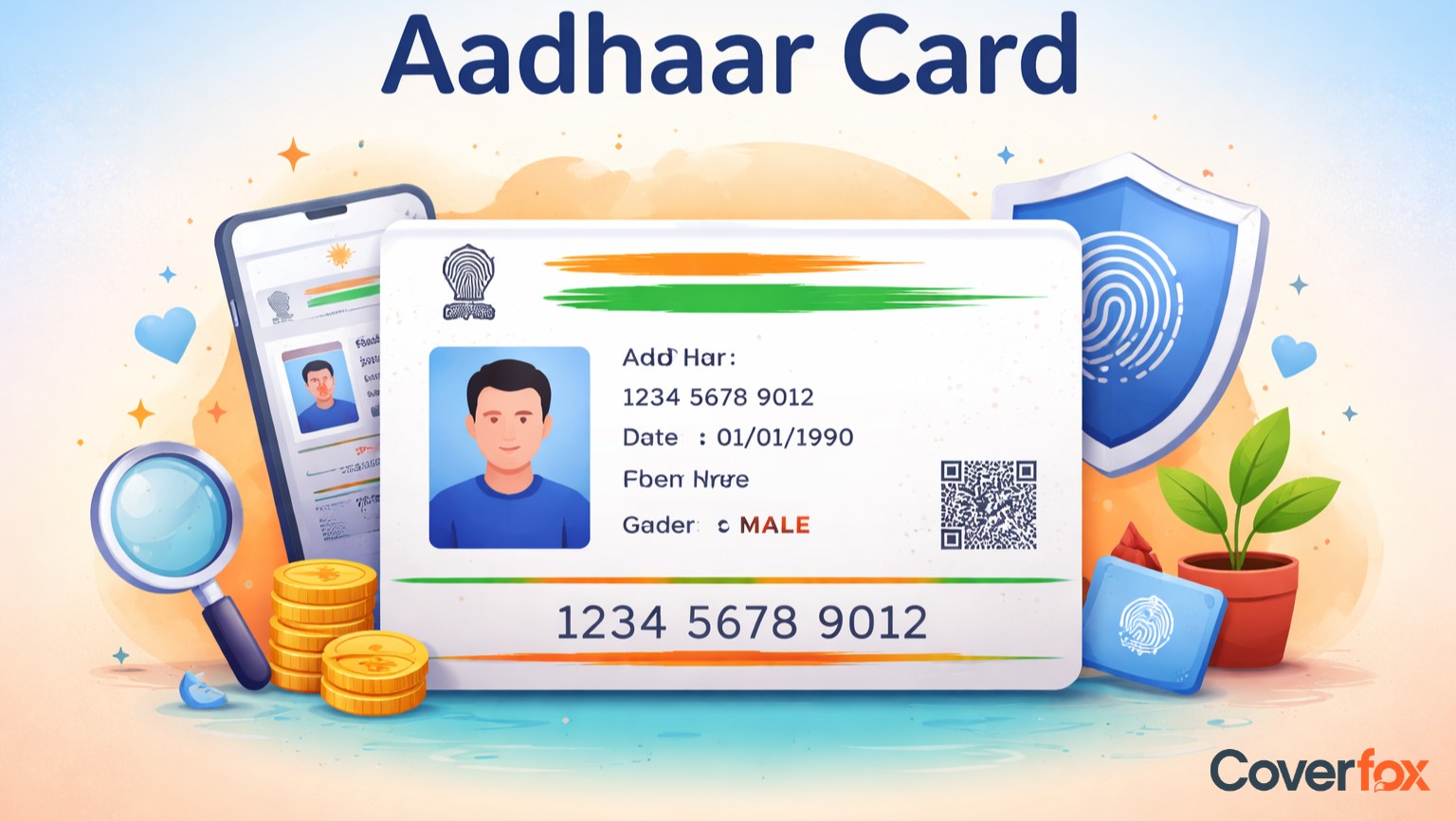
An Aadhaar card contains basic demographic details and a unique identification number, which are used for identity verification and authentication.
A 12-digit unique identification number issued by the Unique Identification Authority of India (UIDAI).
The full name of the resident as recorded during Aadhaar enrolment.
Displayed based on the information provided by the resident at the time of enrolment.
As declared by the resident during enrolment.
The residential address of the Aadhaar holder was registered with UIDAI.
In the case of Baal Aadhaar, details of the parent or guardian are linked to the child’s Aadhaar.
Registered mobile number and email ID, if provided, which are used for OTP-based authentication and service updates.
A facial photograph of the Aadhaar holder used for visual identification.
A digitally signed secure QR code that contains Aadhaar details and enables offline verification.
Aadhaar stores biometric data, including fingerprints and iris scans, securely in UIDAI’s central database. These biometric details are not printed on the Aadhaar card.
The PVC Aadhaar card includes additional security features such as a hologram, micro text, ghost image, guilloche pattern, issue and print dates, and a secure QR code to prevent tampering and misuse
Note: Aadhaar also stores biometric information (fingerprints and iris scans) securely with UIDAI, but these details are not printed on the Aadhaar card.
UIDAI offers different formats of the Aadhaar card, all of which carry the same validity and can be used interchangeably.
A paper-based letter sent by UIDAI after enrolment or update, containing the Aadhaar number, demographic details, photograph, and a secure QR code.
A digitally signed electronic version of Aadhaar that can be downloaded from the UIDAI website and is password-protected for security.
A digital Aadhaar is available through the official mAadhaar mobile app, allowing users to carry Aadhaar on their smartphone and use it for verification.
A durable, wallet-sized Aadhaar card with enhanced security features such as a hologram, micro text, and QR code, making it easy to carry and long-lasting.
UIDAI issues Aadhaar to different categories of residents based on age and residential status.
Issued to residents of India aged 18 years and above, this Aadhaar includes full biometric details such as fingerprints and iris scans along with demographic information.
Issued to children below 5 years of age, Baal Aadhaar is linked to the Aadhaar of one of the parents or guardians and does not capture biometrics at the time of enrolment. Biometrics must be updated once the child turns 5 years old.
Aadhaar is available to Non-Resident Indians who are residents of India as defined under the Aadhaar Act, allowing them to enrol using a valid Indian passport and other prescribed documents.
Per UIDAI, any individual who qualifies as a resident of India is eligible to enrol for an Aadhaar card, subject to the fulfilment of prescribed conditions.
Any Indian citizen living in India is eligible to apply for an Aadhaar card, irrespective of age or gender.
NRIs holding a valid Indian passport are eligible to enrol for Aadhaar and do not need to complete 182 days of residence in India.
Overseas Citizens of India (OCI) holding a valid foreign passport are eligible for Aadhaar after residing in India for at least 182 days in the last 12 months.
Foreign nationals holding an LTV issued to minority communities from Afghanistan, Bangladesh, and Pakistan (Hindus, Sikhs, Buddhists, Jains, Parsis, and Christians) are eligible after completing 182 days of residence in India.
Citizens of Nepal or Bhutan residing in India are eligible for Aadhaar after staying in India for at least 182 days in the preceding 12 months.
Other foreign nationals may be eligible for Aadhaar only if notified by the Government of India and after fulfilling the minimum 182-day residence requirement.
Source: https://uidai.gov.in/en/my-aadhaar/aadhaar-for-nri.html
To apply for an Aadhaar card, visit an authorised UIDAI enrolment centre with valid proof of identity, address, and date of birth. Your demographic details and biometrics are captured at the centre, after which you receive an acknowledgement slip with an Enrolment ID. Aadhaar is generated after verification and delivered by post, with e-Aadhaar available for download online.
Note: All documents must be produced in original at the enrolment centre for verification. UIDAI does not require photocopies in most cases. Complete list of documents needed for applying for an Aadhaar card.
Visit the official UIDAI website - Go to the UIDAI portal and select the option to Download Aadhaar.
Enter Aadhaar details - Enter your Aadhaar number / Enrolment ID (EID) / Virtual ID (VID) along with the security captcha.
Verify using OTP - An OTP is sent to your registered mobile number, which must be entered to proceed.
Download e-Aadhaar - After successful verification, download the password-protected PDF of your e-Aadhaar.
Open the PDF file - Use the password format - First four letters of your name (CAPITALS) + Year of birth. Example: RAVI1992
Masked Aadhaar is a privacy-enhanced version of Aadhaar where the first eight digits of the Aadhaar number are concealed. It is equally valid for most identity verification purposes and helps reduce the risk of Aadhaar misuse or unauthorised disclosure, as recommended by UIDAI.
Select the “Masked Aadhaar” option before downloading.
The Aadhaar number will appear partially hidden, enhancing privacy while remaining valid for most verification purposes.
Open the downloaded e-Aadhaar PDF file.
Use a standard A4 sheet for printing.
Ensure the QR code is clearly visible, as it is used for verification.
You may laminate the printout for durability.
UIDAI also offers a PVC Aadhaar card service through the official portal.
The card is delivered by post and includes enhanced security features.
A nominal fee is charged for this service.
Note: e-Aadhaar, masked Aadhaar, and PVC Aadhaar are all equally valid as per UIDAI.
You can check your Aadhaar card enrolment status online by visiting the official UIDAI website and selecting the “Check Aadhaar Status” option. Enter your Enrolment ID (EID) along with the required details to view the current status. Once Aadhaar is generated, you can also download the e-Aadhaar from the same portal.
An Aadhaar card may get deactivated if it is mistakenly marked as deceased, usually after incorrect processing of a death certificate or due to data-related issues. Reactivation is essential to restore the Aadhaar’s validity so it can again be used for banking, welfare benefits, and other essential services. The process involves proving that the Aadhaar holder is alive and completing biometric re-verification with UIDAI.
Fill out the prescribed application form (Annexure) issued by UIDAI for Aadhaar reactivation.
Submit the form in person, by email, or by post to the nearest UIDAI Regional or State Office.
Provide details such as Aadhaar number, name, date of birth, address, mobile number/email ID (if available), and parents’ details.
UIDAI will contact you and direct you to a designated Aadhaar enrolment centre.
Submit full biometric details, including fingerprints, iris scan, and facial photograph, under official supervision.
After a successful biometric submission, UIDAI processes the request.
The Aadhaar reactivation status is generally updated within 30 days of biometric verification.
Track the status through the myAadhaar portal or via SMS notifications sent by UIDAI.
Once verified, the Aadhaar number is reactivated, and UIDAI updates its records and notifies relevant authorities.
Documents required: Aadhaar number, name, gender, date of birth, address, parents’ details, and registered mobile number/email (if available).
Biometric details required: Fingerprints, iris scan, and facial image.
Where to submit: UIDAI Regional or State Office.
Timeline: Status update typically within 30 days after biometric submission.
Note: Aadhaar reactivation is handled only by UIDAI through its regional offices and authorised centres to ensure accuracy and prevent misuse.
An Aadhaar Enrolment Centre, also known as an Aadhaar Seva Kendra (ASK), is a UIDAI-authorised facility where residents can enrol for Aadhaar, update demographic or biometric details, and access Aadhaar-related services. These centres are operated by UIDAI, banks, post offices, and authorised agencies to ensure secure and standardised Aadhaar services.
To find the nearest Aadhaar Enrolment Centre or Aadhaar Seva Kendra, residents can use the “Locate an Enrolment Centre” option on the official UIDAI website (myAadhaar portal).
Read More About Aadhaar Card:
mAadhaar is the official UIDAI mobile application that allows residents to carry a digital version of Aadhaar on their smartphone and use it for paperless verification.
PVC Aadhaar is a wallet-sized, durable Aadhaar card with enhanced security features like hologram, micro text, and QR code, issued by UIDAI at a nominal fee.
e-Aadhaar is a digitally signed, password-protected electronic version of Aadhaar that can be downloaded from the UIDAI website and is equally valid as the physical Aadhaar.
Masked Aadhaar is a privacy-protected version of Aadhaar where only the last four digits of the Aadhaar number are visible, reducing the risk of misuse.
You can download e-Aadhaar from the UIDAI website using your Aadhaar number, Enrolment ID, or registered mobile number.
You can update demographic details like address online through the myAadhaar portal using OTP-based verification.
Aadhaar can be verified online through UIDAI’s “Verify Aadhaar Number” service using the Aadhaar number.
You can lock or unlock biometrics online via the myAadhaar portal or the mAadhaar app to prevent unauthorised authentication.
An Aadhaar card is valid for a lifetime unless it is cancelled or deactivated by UIDAI.
Aadhaar enrolment is voluntary, but it is mandatory for certain purposes, such as availing government subsidies and linking PAN for income tax.
Aadhaar card is a physical document, while e-Aadhaar is its digital version; both are equally valid as per UIDAI.
Aadhaar enrolment is completely free of cost.
Foreign nationals may apply only if they meet UIDAI eligibility criteria and residency requirements notified by the Government of India.
You can check Aadhaar–bank linking status through the UIDAI website using the “Check Aadhaar/Bank Linking Status” option.
Mobile number updates can be done only by visiting a UIDAI-authorised Aadhaar Enrolment Centre.
The address can be updated online through the myAadhaar portal using valid address proof or offline at an enrolment centre.
You can link Aadhaar with your bank account through internet banking, mobile banking, ATM, or by visiting the bank branch.
PAN can be linked with Aadhaar online through the Income Tax Department’s website using OTP verification.
Mobile number changes require a visit to an Aadhaar Enrolment Centre for verification.
URN (Update Request Number) is generated after submitting an Aadhaar update request and is used to track the update status.
You can track the status online using the URN on the UIDAI website.
A duplicate Aadhaar can be obtained by downloading e-Aadhaar or ordering a PVC Aadhaar card online.
Yes, NRIs holding a valid Indian passport can enrol for Aadhaar as per UIDAI guidelines.
Yes, Aadhaar can be accessed and downloaded from DigiLocker as a valid digital document.
You can update eligible demographic details online through the myAadhaar portal using OTP-based authentication.


