FASTag transaction history is checked most reliably through your issuer's website or mobile app, the MyFASTag app, or the NETC FASTag portal, all of which let you log in and view toll deductions, recharges, and balances by date.
Vehicle number alone can pull up basic FASTag status and recent activity on some platforms, but a full transaction history needs your registered mobile number, OTP, or login credentials as well in most cases.
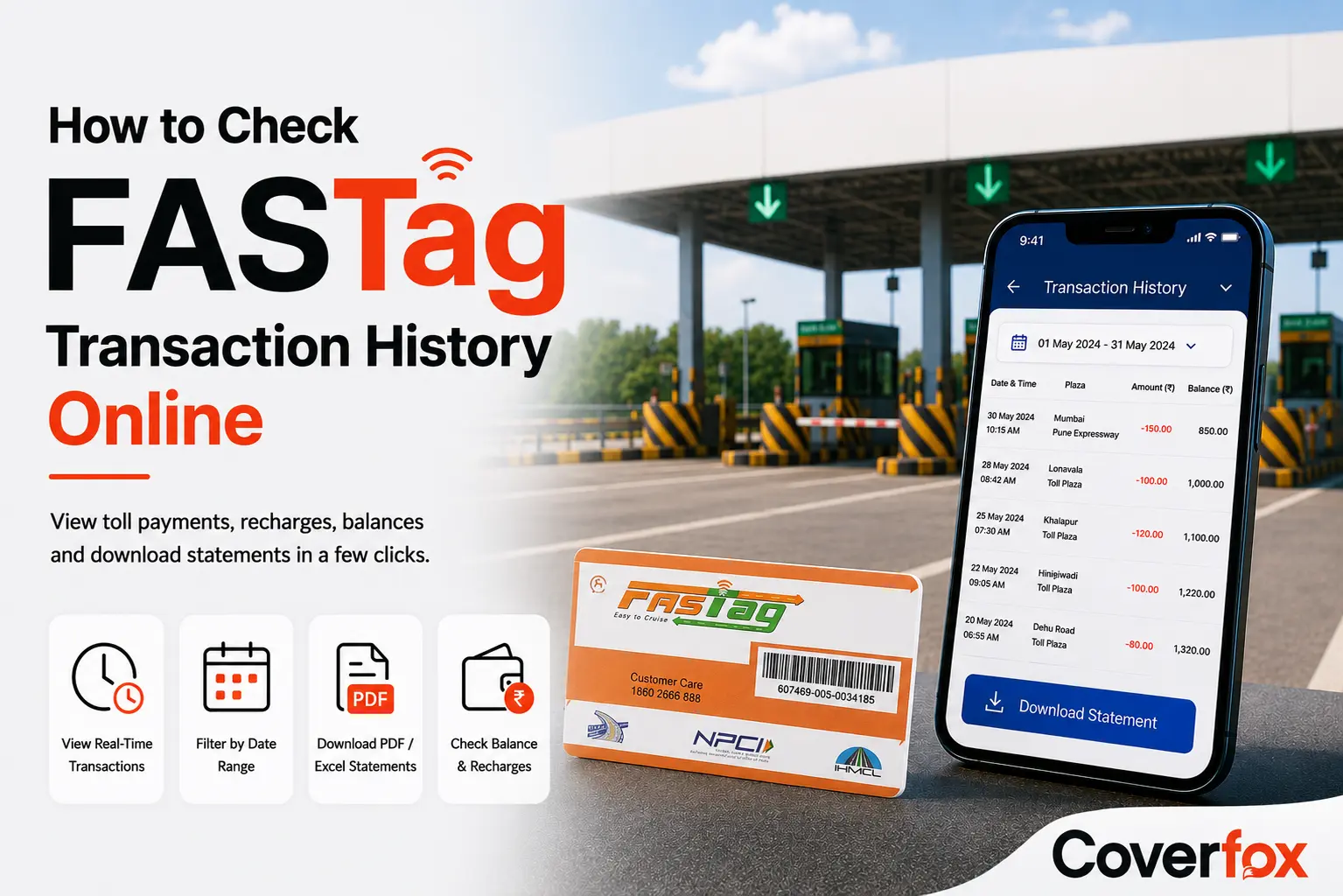
Every toll deduction on your FASTag gets logged the moment you pass a plaza, but what you can see depends on how you check it. This guide walks you through how to check FASTag transactions, whether you have your login handy or just your vehicle number.
What Is FASTag Transaction History?
FASTag transaction history is the complete, time-stamped record of every toll deduction, recharge, and balance adjustment made against your FASTag account, maintained by your issuer and reported through the NETC (National Electronic Toll Collection) system. It matters because it confirms you were charged the correct toll amount at each plaza, helps you spot duplicate or incorrect deductions quickly, and gives you a usable record for expense claims, reimbursements, or trip logs.
You'll need to check FASTag transaction history when verifying a toll charge that looks higher than expected, reconciling business travel expenses for reimbursement, checking whether a specific journey's toll payments went through, or investigating a dispute after being charged twice at the same plaza.
It's worth separating this from a transaction statement, since the two terms get used interchangeably but aren't identical. Transaction history is the live, scrollable record you see when you log into an app or portal. A transaction statement is a formatted, downloadable document, most often a PDF or Excel file, covering a specific date range, meant for record-keeping or submission as proof of expense.
How to Check FASTag Transaction History Online
Through Your FASTag Issuer's Website
Every bank or payment provider issuing FASTags maintains a web portal where account holders can log in and review their toll activity directly.
Visit your issuer's official website.
Log in using your registered mobile number, customer ID, or net banking credentials.
Navigate to the FASTag or toll payments section.
Select the date range you want to view.
Most issuers allow you to download the statement as a PDF, and several also support Excel export for longer date ranges.
Using Your Bank or FASTag Mobile App
If your FASTag is linked to a bank account, the bank's own app mirrors what's available on the website in most cases, with the added convenience of checking on the go.
Open your bank's mobile app and log in.
Go to the FASTag or toll payments section, often under "Cards" or "Pay Bills."
Select your vehicle or FASTag account if you have more than one linked.
View recent transactions directly, or tap through to a full statement.
Downloadable statements are available on most major banking apps, though the exact format (PDF only, or PDF and Excel) varies by issuer.
Apps also show real-time balance, recharge options, and low-balance alerts alongside the transaction list in most cases.
Through the MyFASTag App
Launched by NHAI, MyFASTag works across issuers rather than being tied to a single bank, which makes it a useful option if you're not sure which app to check first.
Download MyFASTag from the Google Play Store or Apple App Store.
Log in with your registered mobile number and OTP.
Select the FASTag section from the home screen.
View your recent transaction list alongside your current balance.
Tap into any transaction to view FASTag transaction details, including the plaza, date, and amount.
Limitation: MyFASTag works best for NHAI-issued tags and may show limited history depth for tags issued directly through certain private banks.
Using SMS Transaction Alerts
Every issuer sends an SMS to your registered mobile number the moment a toll deduction or recharge happens, which works as a passive, real-time record even without opening an app.
How it works: The SMS arrives within moments of the transaction, listing the amount deducted and your updated balance.
What's included: Transaction amount, updated balance, and sometimes the plaza name or location.
Limitations compared to the portal or app: SMS alerts aren't searchable, can't be filtered by date range, and offer no downloadable statement. They're useful for an immediate check but not a substitute for a proper transaction history when you need a full record.
By Contacting Customer Support
For older transactions, disputes, or issues the app and portal don't resolve on their own, your issuer's customer care remains a direct option.
When to use this: Missing transactions, unexplained deductions, or when app and portal access itself isn't working.
Information you'll likely need to provide: Registered mobile number, vehicle registration number, FASTag ID, and the approximate date of the transaction in question.
What they can help resolve: Duplicate charges, transactions that don't match your travel, failed recharges, and requests for statements covering periods not visible in the app.

Can You Check FASTag Transaction History by Vehicle Number?
Yes, your vehicle number is linked to your FASTag in NPCI's NETC system, so it's often enough to pull up basic status, recent activity, or balance on certain platforms.
When vehicle number alone is sufficient: Quick status checks, missed-call balance queries, and some third-party portals that only need the vehicle number to display limited recent transaction snippets.
When login credentials or a registered mobile number are also required: A full, searchable, and downloadable transaction history almost always needs authentication beyond just the vehicle number, most often your registered mobile number plus an OTP, or a full account login on your issuer's app or website.
Differences across issuers: The way you access FASTag transaction history can vary by issuing bank. Some portals may let you manage multiple tags or vehicles under one account, while others may show details only for the FASTag linked to your account. Check your issuer's app or website to see which options are available.
If you're comparing FASTag providers, see our guide to best FASTag providers in India to understand how their services differ.
Final Thoughts
Checking your FASTag transaction history doesn't need to be confusing once you know which method fits the situation. For a quick balance glance, SMS alerts or a missed call do the job. For a full, downloadable record, your issuer's app, website, or the NETC portal are the reliable options, and the MyFASTag app works well when you're not sure which bank's app to open first. Vehicle number alone gets you partway there on most platforms, but a complete statement almost always needs your registered mobile number or account login as well. If you're managing car insurance alongside your FASTag, keeping both sets of documents and login details organised in one place makes the occasional dispute or reimbursement claim considerably less of a hassle.
Frequently Asked Questions
How often is FASTag transaction history updated?
Deductions typically reflect in your balance within moments of passing a toll plaza, though the SMS alert and app-level transaction list can occasionally take a few minutes to sync, especially during high-traffic periods.
What should I do if my FASTag is charged twice at a toll plaza?
Check your transaction history first to confirm both deductions and note the exact time, amount, and plaza. Then raise the issue through your issuer's app, website, or customer care, since duplicate charges are typically reversed once verified against the plaza's records.
Can I raise a complaint for an incorrect FASTag transaction?
Yes. You can raise it directly with your FASTag issuer through their app, website, or customer care helpline. If it isn't resolved, NHAI's grievance redressal channels, including the 1033 toll-free helpline, offer an escalation route.
Does every FASTag issuer provide downloadable transaction statements?
Most major issuers do, typically as a PDF, with some also offering Excel export for longer date ranges. Exact formats and how far back you can download vary by issuer, so checking your specific provider's app or portal is worth doing rather than assuming.
Can I check FASTag transaction history for old toll transactions?
Yes, within limits. Most apps and portals retain a visible history for several months to a year, but very old transactions may need to be requested through customer support, particularly if you need a formal statement for a period no longer shown in the app.
How to See FASTag Transactions?
You can see FASTag transactions through your issuer's website or mobile app, the MyFASTag app, or other supported NETC services. For a complete transaction history, you may need to log in with your registered mobile number or account credentials.